Step 1
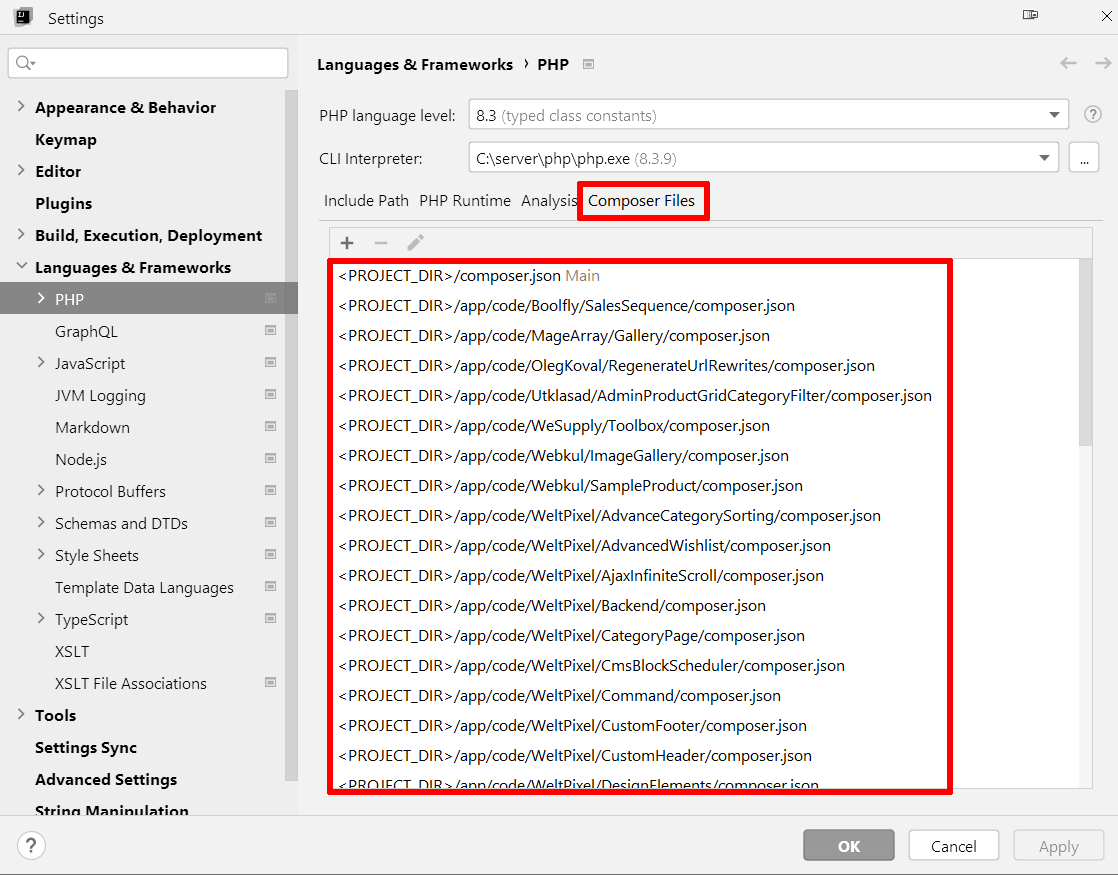
Delete all entries from «Languages & Frameworks» → «PHP» → «Composer» → «Composer Files»:
Step 2
Exit IntelliJ IDEA / PHPStorm completely.
Step 3
How to remove «Include Path» entries from PHPStorm when the minus button is disabled?
Step 4
PHPStorm will likely make multiple attempts to restore the contents of the .idea/php.xml file that we modified in the previous step.
So, make a copy of the file after editing it.
Step 5
Start IntelliJ IDEA / PHPStorm again and open your project.
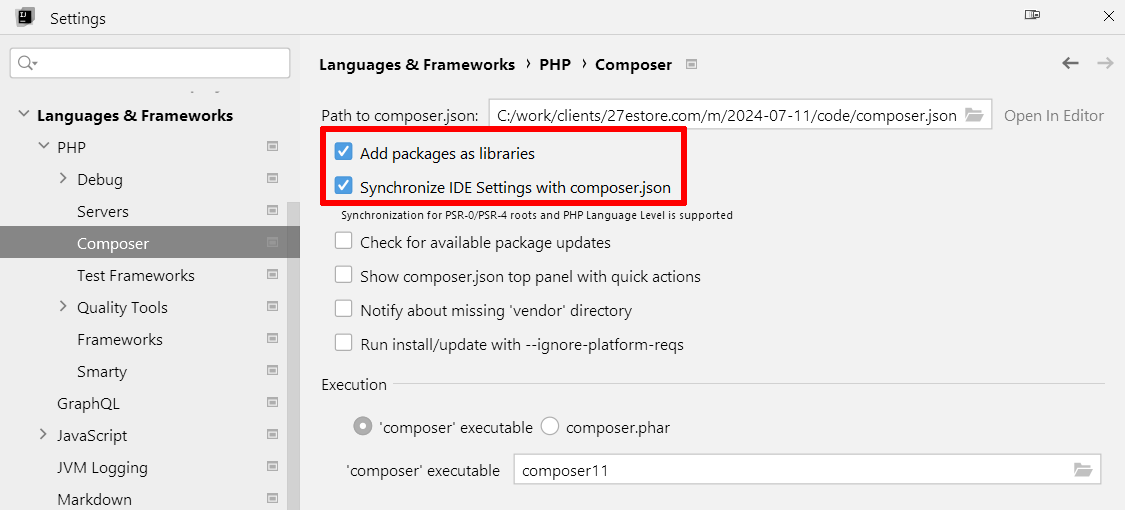
After that, PHPStorm re-enabled (for an unknown reason) the 2 options under «Languages & Frameworks» → «PHP» → «Composer»:
- «Add packages as libraries»
- «Synchronize IDE Settings with composer.json»
Step 6
Disable the 2 options again:
- «Add packages as libraries»
- «Synchronize IDE Settings with composer.json»
Then, repeat Step 2 and Step 3.
You may need to repeat this procedure multiple times.
That’s why we made a copy of the .idea/php.xml file in Step 4.