The client's task
Title
White bottom bar on Chrome iPad OS 26
Description
Quick Summary:
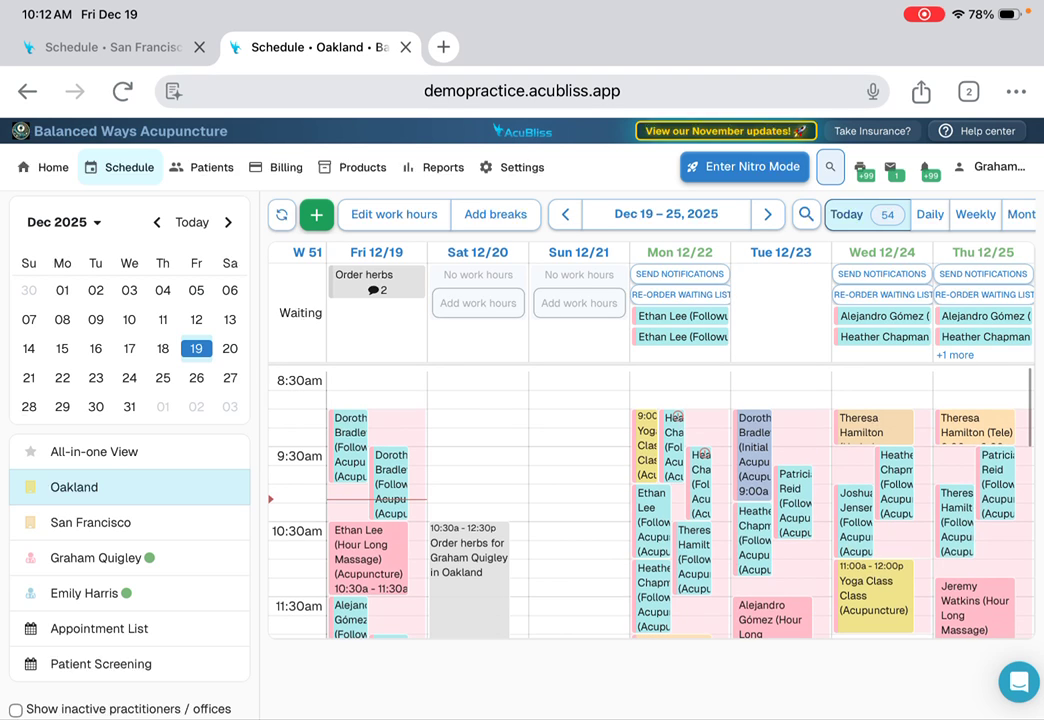
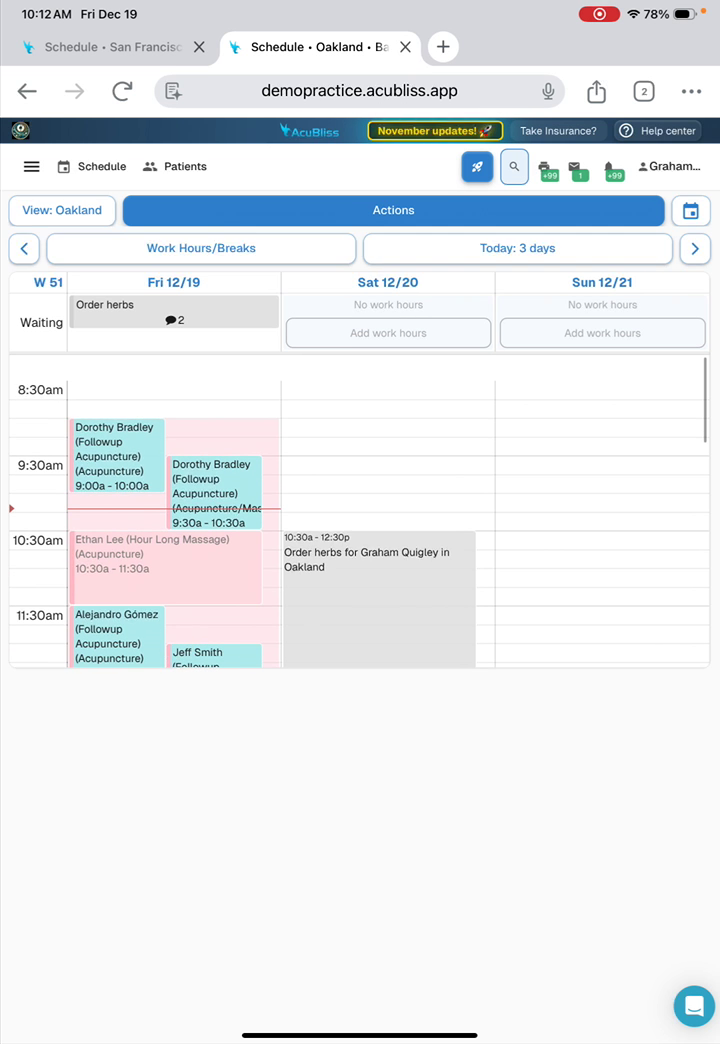
Our web app shows a white bar at the bottom on iPadOS 26 + Chrome that blocks content.
Need an iOS/WebKit expert to diagnose and fix using CSS/viewport solutions.
Requirements:
- Expert in iOS/iPadOS web development
- Experience with viewport-fit, safe-area-inset
- Access to iPadOS 26 testing (real device or BrowserStack)
- Familiar with iOS 26 Liquid Glass design issues
Deliverables:
- Working CSS/HTML fix
- Testing on iPadOS 26 + Chrome/Safari
- Brief documentation of solution
Must have proven experience fixing iOS-specific web app bugs.
Please share examples of similar work.
My analysis
1. The root cause
bugs.webkit.org/show_bug.cgi?id=297779
Viewport and layout coordinates become desynchronized during initialization, keyboard interaction, or orientation changes.
Consequently, fixed interface elements shift upward, creating a gap between the content and the screen edge.
This gap exposes the WKWebView backing store.
2. Key definitions
C: The root cause (§1)LG: «Liquid Glass»RT: «Reduce Transparency»
SA: «Safe Area»
S₁: the factor described in §4S₂: the factor described in §5
3.
The problem stems from C, while S₁ and S₂ determine the visual appearance of the artifact.
4. S₁: activation of RT
RT replaces semi-transparent LG backdrops with opaque fills.
In Chrome, the System UI Backdrop renders as a solid white block.
This opaque layer visually fills the exposed gap.
Example: discussions.apple.com/thread/256149325?answerId=256149325021
5. S₂: a conflict between LG and SA
Dynamic floating layers create a race condition during SA initialization.
Chrome initially receives 0-value insets and extends the content to the full screen.
The system subsequently enforces SA constraints, triggering a layout recalculation.
Consequently, the system enforces a protective mask that visually fills the exposed gap.
6.
Below are 2 high-quality strategies to mitigate the effects of C.
In some cases, it is necessary to apply them in combination.
7. R₁⁂
7.1. Essence
Create an isolated stacking context for fixed elements.
Apply transform: translateZ(0) to position: fixed elements to bypass the WebKit bug.
Set html and body min-height to 100dvh.
Set the body background-color to match the bottom panel for visual masking.
7.2. Advantages
- It circumvents the layer compositing error in
LG.
The usage of 100dvh units ensures the layout adapts to the dynamic viewport, preventing content clipping.
- It applies instantly without burdening the JavaScript thread.
- Background masking conceals the problem even if physical displacement persists.
7.3. Key challenges
Changing the stacking context affects z-index, requiring verification of modal windows.
8. R₂⁂
8.1. Essence
Implement a script to synchronize layout coordinates with the visual viewport upon interface state changes.
The script listens for focusout and resize events to trigger a layout reset via a forced scroll position reset (window.scrollTo(0, 0)).
This action resets the WebKit internal offset flag.
8.2. Advantages
- It resolves interface displacement caused by interactions with the virtual keyboard.
- It works reactively when the engine fails to apply CSS rules correctly.
- It does not require layout restructuring and serves as a targeted «hotfix».
8.3. Key challenges
- The fix triggers only after the interaction concludes, potentially leaving the interface displaced during input.
- A delay between the event and execution may cause a visible content jump.
- Reliance on JavaScript reduces reliability under high system load.