Step 1
Open the «Limits Calculator»
Step 2
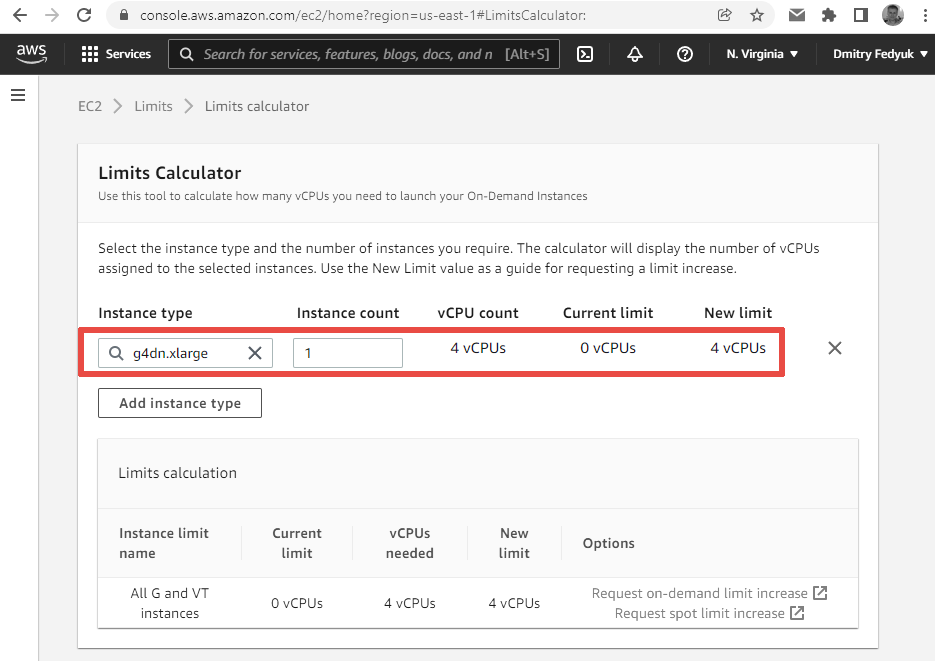
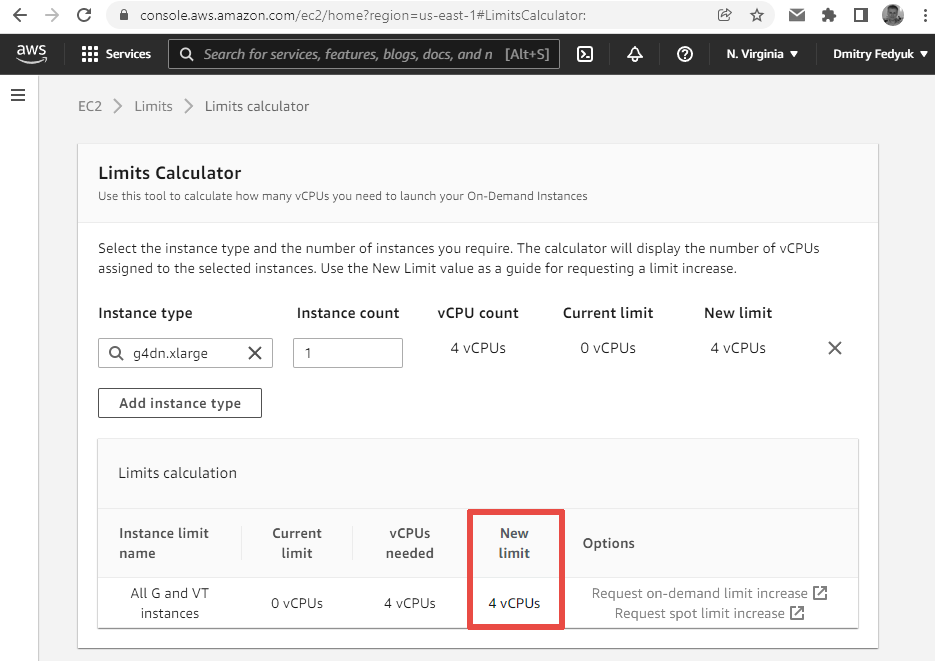
Choose «Add instance type», choose the required instance type, and specify the required number of instances:
Step 3
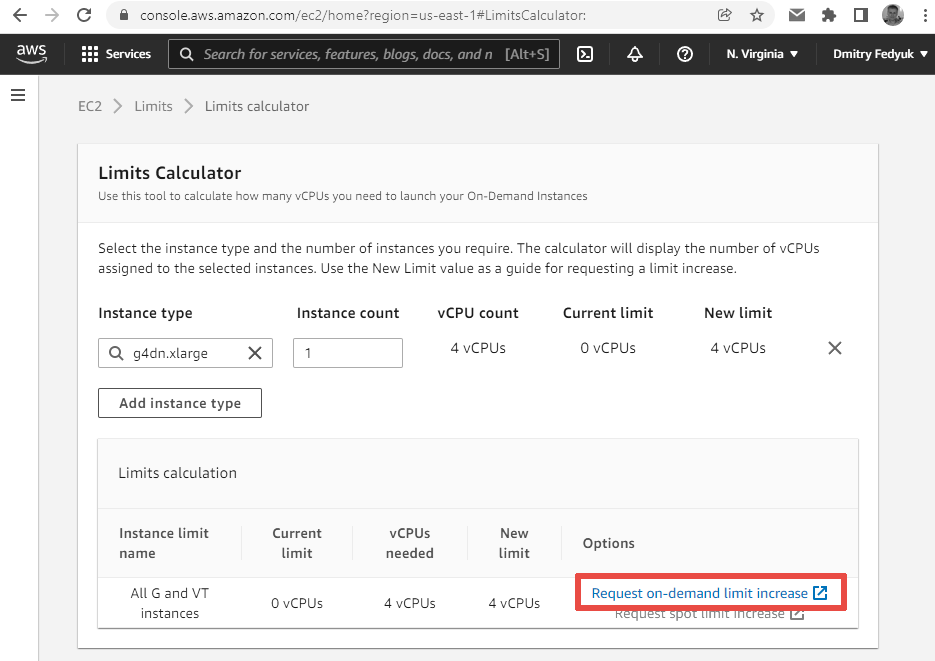
Click «Request on-demand limit increase»:
Step 4
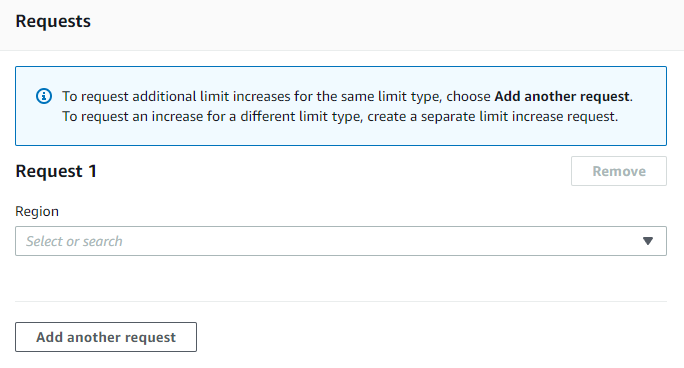
The «AWS Support» → «Your support cases» → «Create case» screen will be opened.
Scroll it down to the «Requests» section:
Step 5
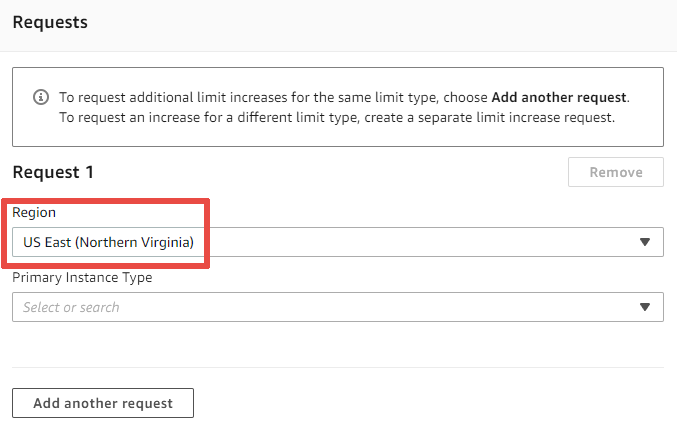
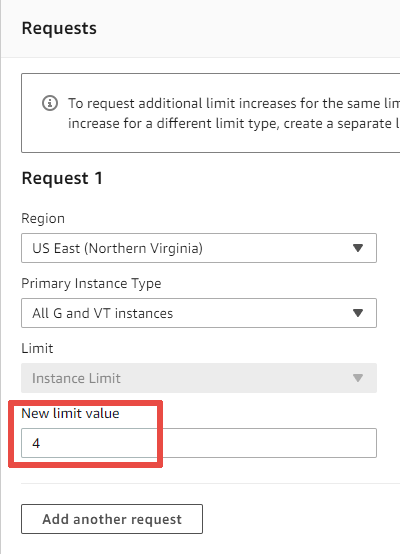
Specify the region you need:
Step 6
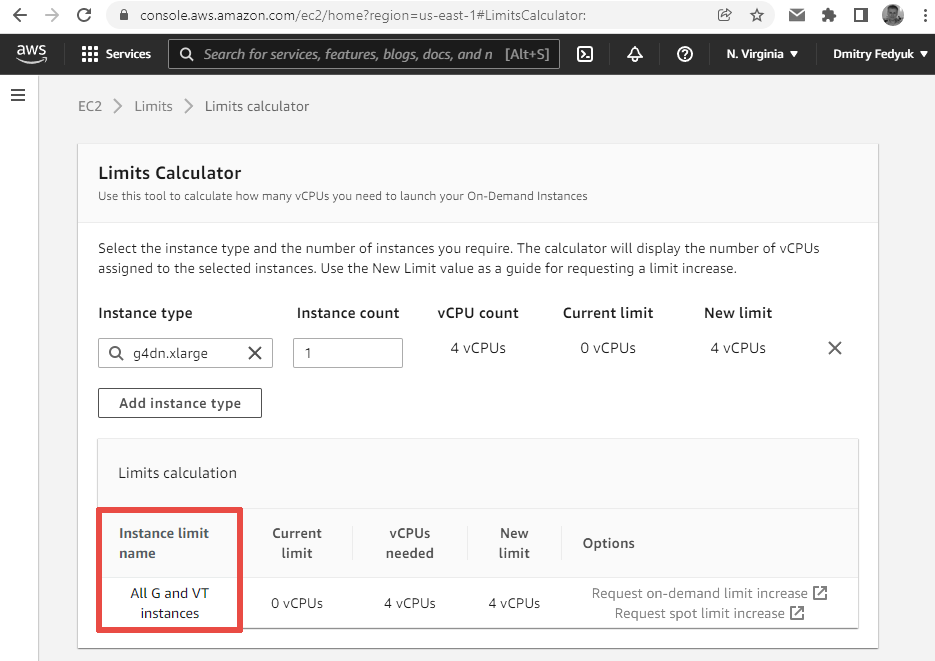
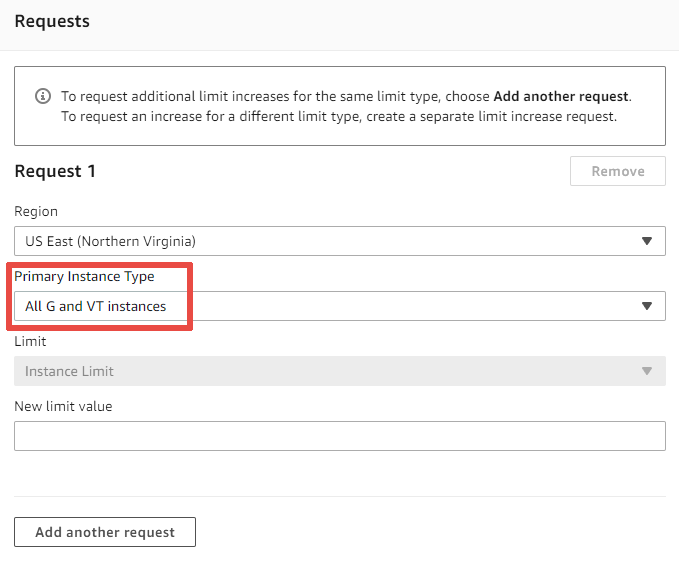
Fill the «Primary Instance Type» input with the value shown in the «Limits Calculator» on the Step 2:
Step 7
Fill the «New limit value» input with the value shown in the «Limits Calculator» on the Step 2:
Step 8
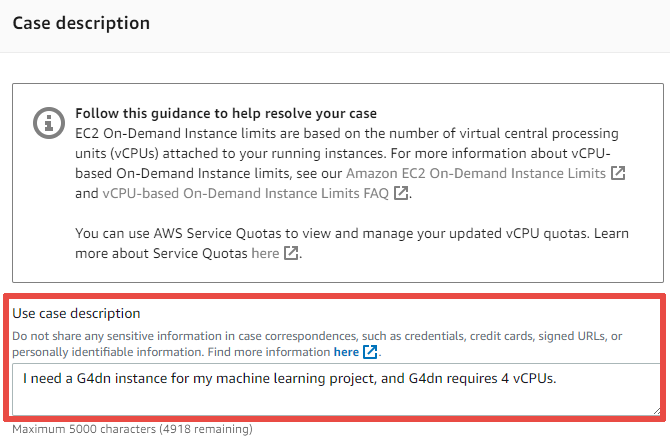
Scroll the page down to the «Case description » section and fill the «Use case description »: field:
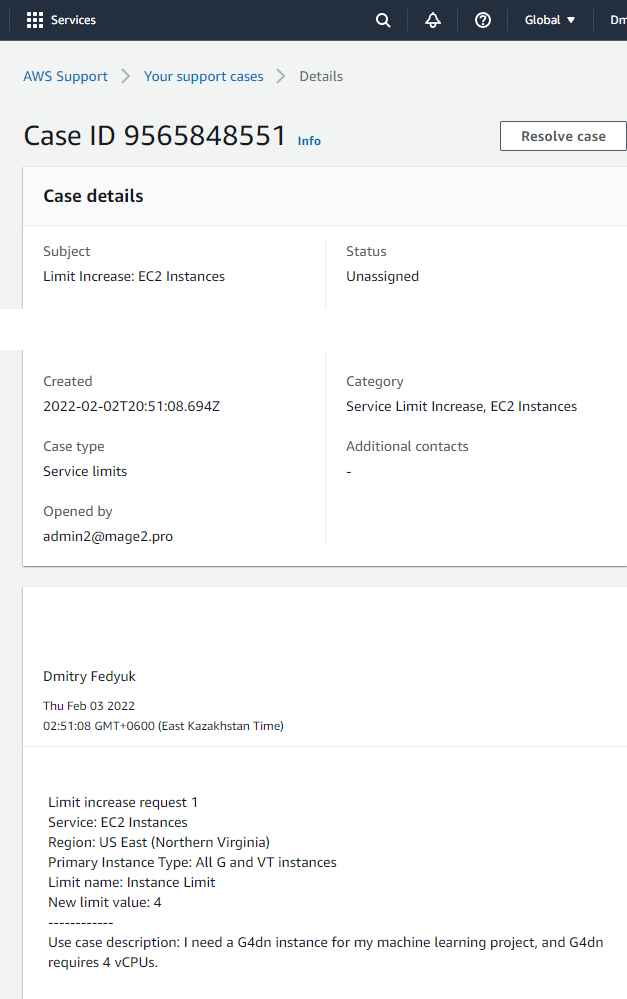
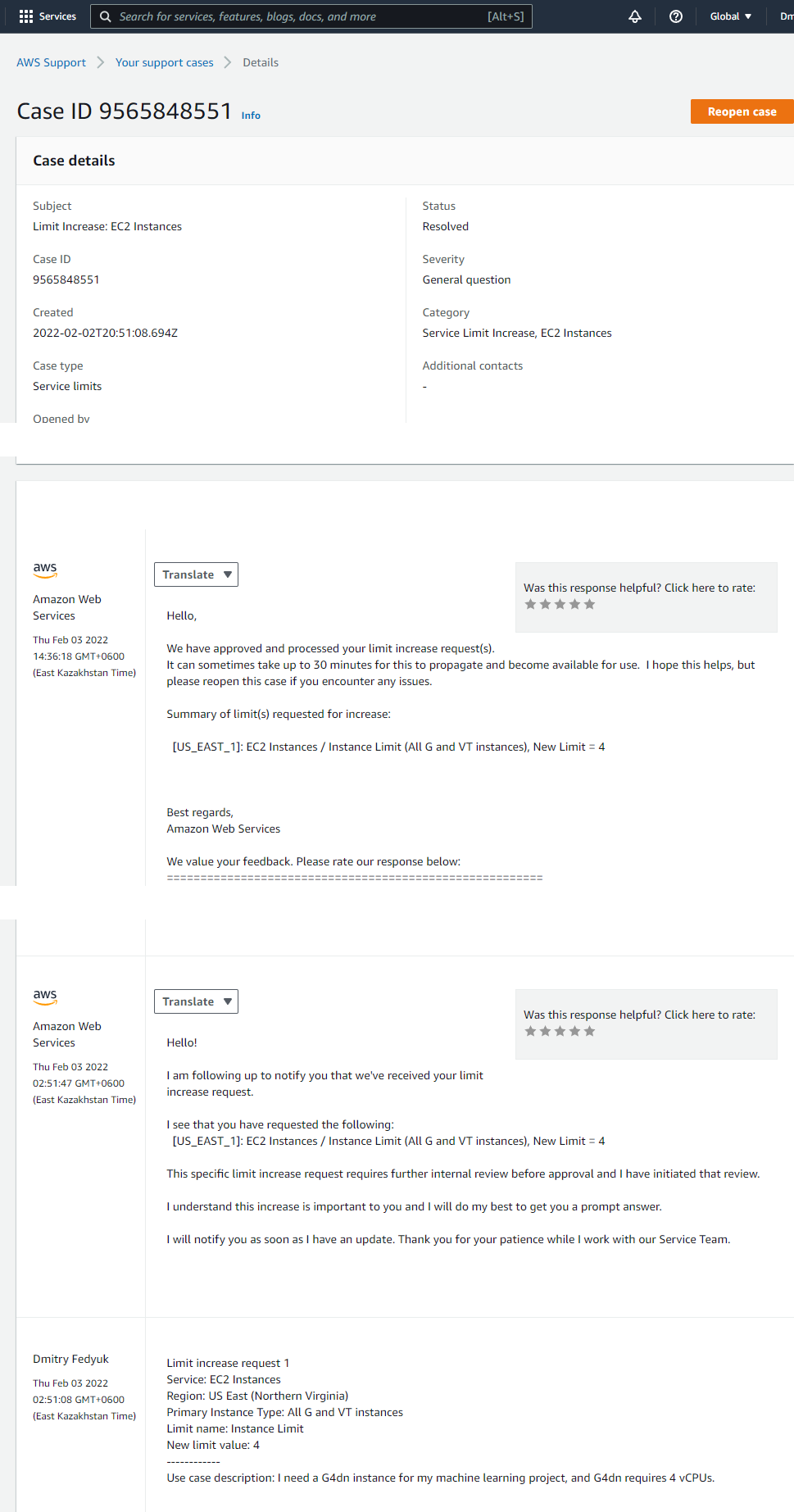
The result
A case will be created: